
Artifact History
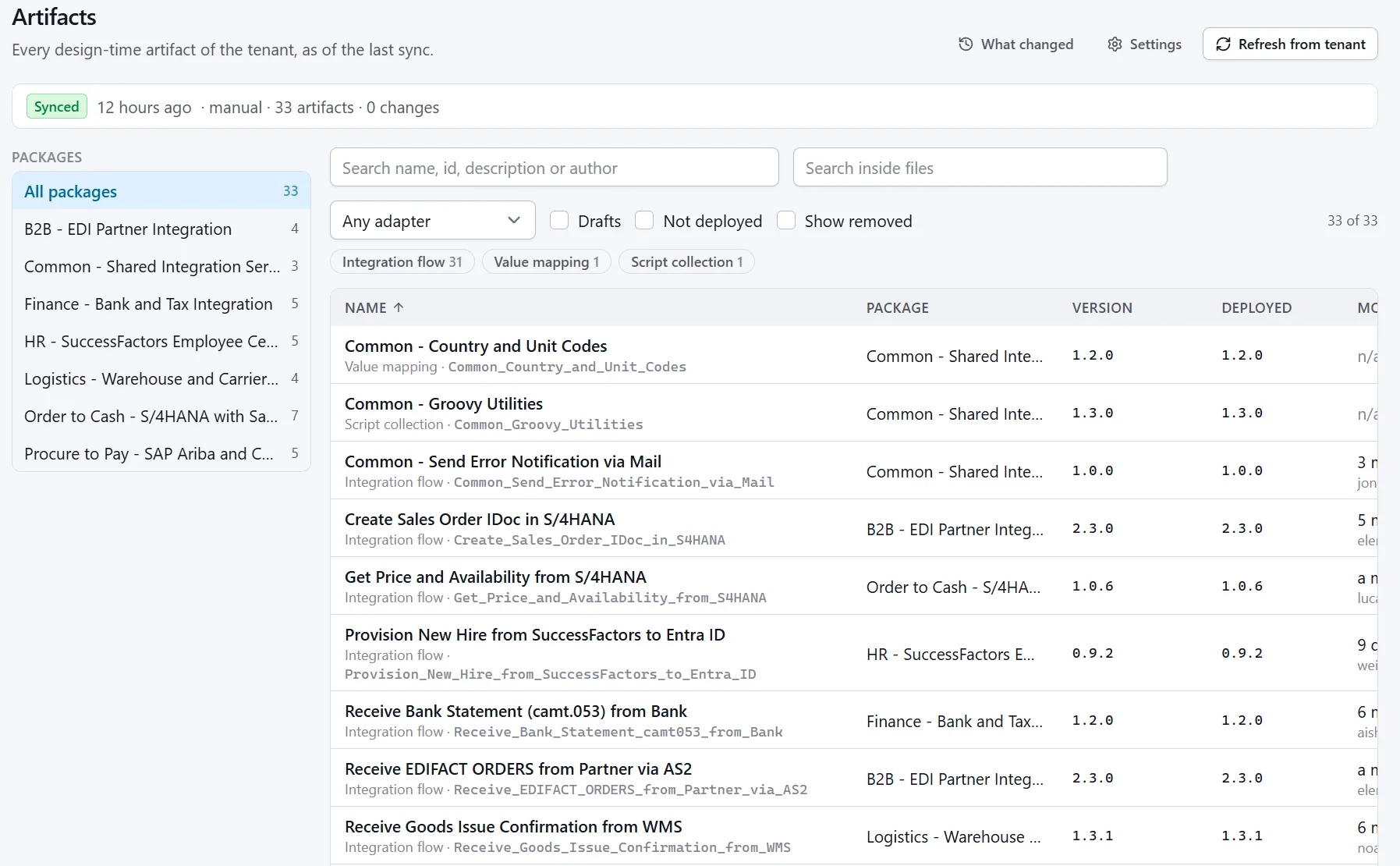
Cloud Integration keeps the latest copy, not the story
"It worked yesterday"
An interface fails after somebody's change. Which artifact was touched, by whom, and what did it look like before?
Versions are for switching back
Saved versions in Cloud Integration are the bare minimum: a way to return to the last one. They do not show what changed between two of them, and work that was never saved as a version leaves no trace.
Deleted means deleted
On a development tenant, artifacts get deleted and recreated. The saved versions go with them, and nothing brings a removed flow or package back from the tenant.
What you get
Every change, recorded
Companion syncs the tenant on a schedule and records each state of each artifact: integration flows, mappings, scripts, value mappings and more, drafts included.
See the real change
Compare any two states file by file. Flow models are sorted first, so you see what was changed, not the reordering the editor does on every save.
What changed since Monday?
One list of everything added, changed or deleted on a tenant in a time range. For the look before a release, or after an incident.
Bring back what was deleted
Download any recorded state as a zip you can import into a package, also for an artifact that no longer exists on the tenant.
Search all content
Find a field, a URL or a function name in every script, mapping and flow of the tenant, without opening them one by one.
DEV against PROD
Flow Diff compares an artifact between two tenants, and Flow Image draws a flow as it was at an earlier state.
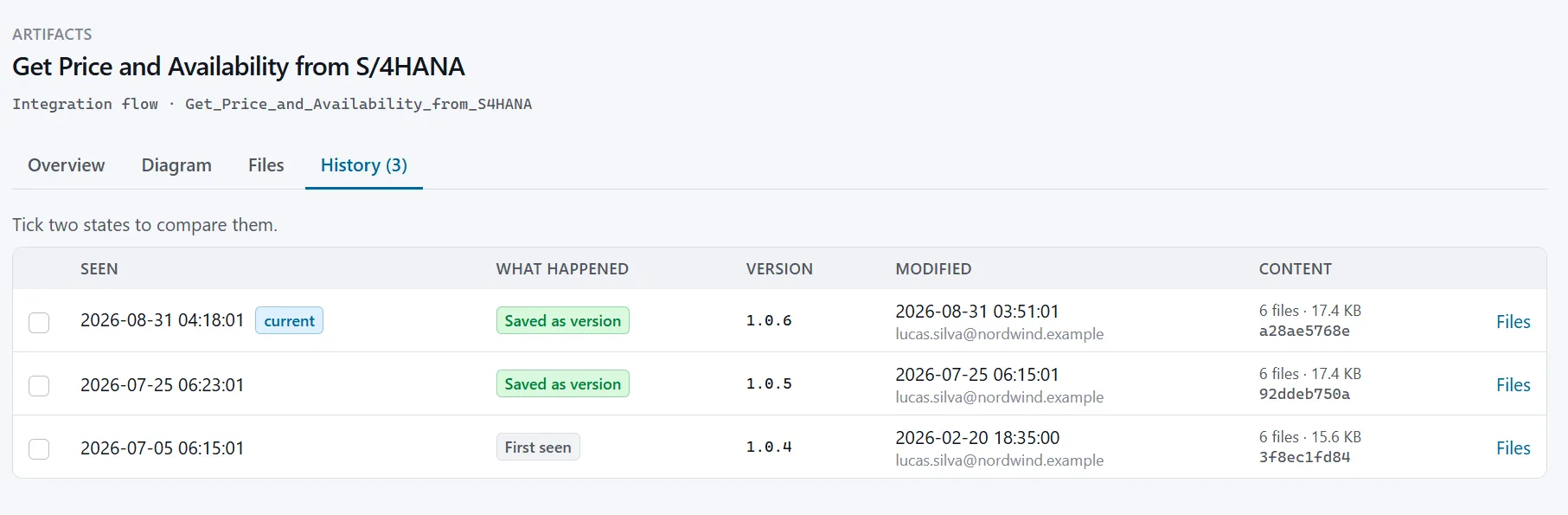
Every state, with who saved it
The history of an artifact lists each state Companion has seen: saved versions and the drafts in between, the version number, the time of the change and the user who made it. Tick two states to compare them file by file.
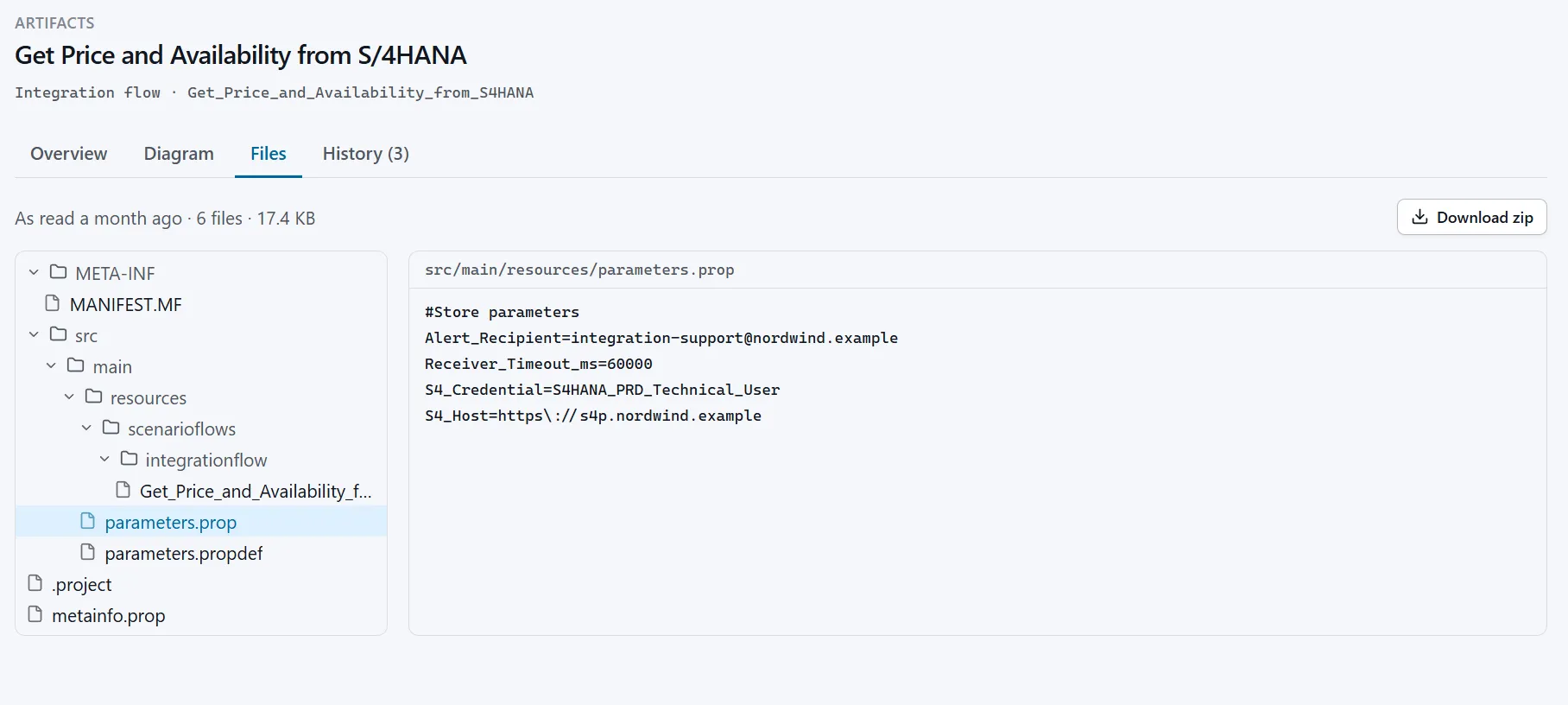
Open the files as they were
Browse the files of any recorded state: the flow model, scripts, mappings and parameters. Download the state as a zip you can import into a package, also for an artifact that no longer exists on the tenant.
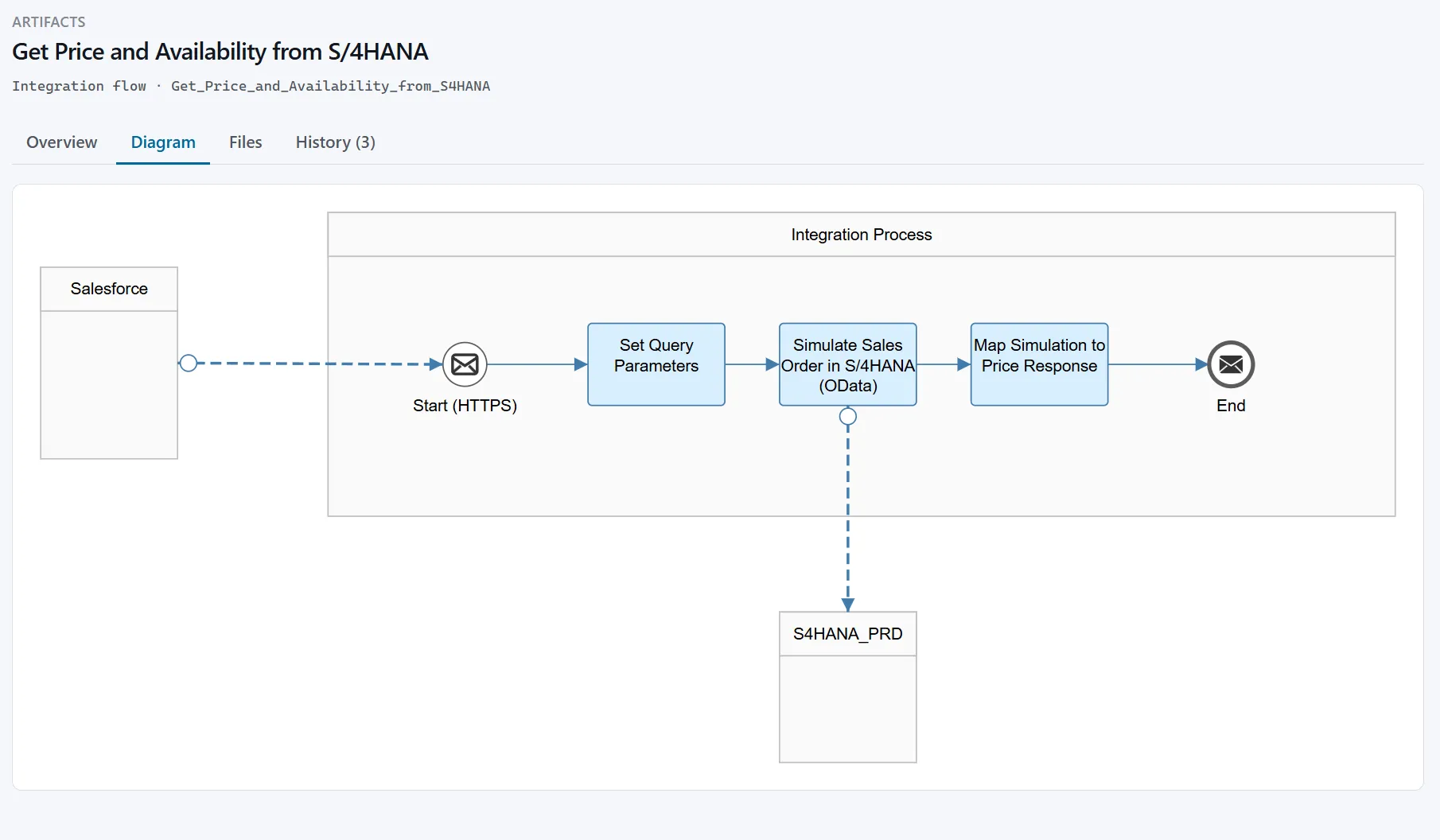
See the flow without opening the tenant
Companion draws the flow diagram from the recorded files, so you can read a flow, or an earlier state of it, without opening the Cloud Integration editor.
Nothing to change in your tenant
Companion reads your tenant through the public OData API with a service key you create. It deploys nothing and needs no change to your flows or your transport process. The history is stored in one data directory on your server. Saved versions are kept forever; only states of unsaved work are thinned out over time, by rules you can change.
Collect for free, look back with a license
| Community license | Enterprise license | |
|---|---|---|
| Price | Free | Contact us |
| Scheduled sync, every state recorded | Yes | Yes |
| Inventory, files, diagram, content search | Yes | Yes |
| Current state and the latest change of each artifact | Yes | Yes |
| Open, compare and download every older state | Listed, locked | Yes |
A community installation records history from the first day. On the day you need to look back, it is all there.
History starts on the day you install
What is changed before that is not recorded anywhere.